December 11th, 2025
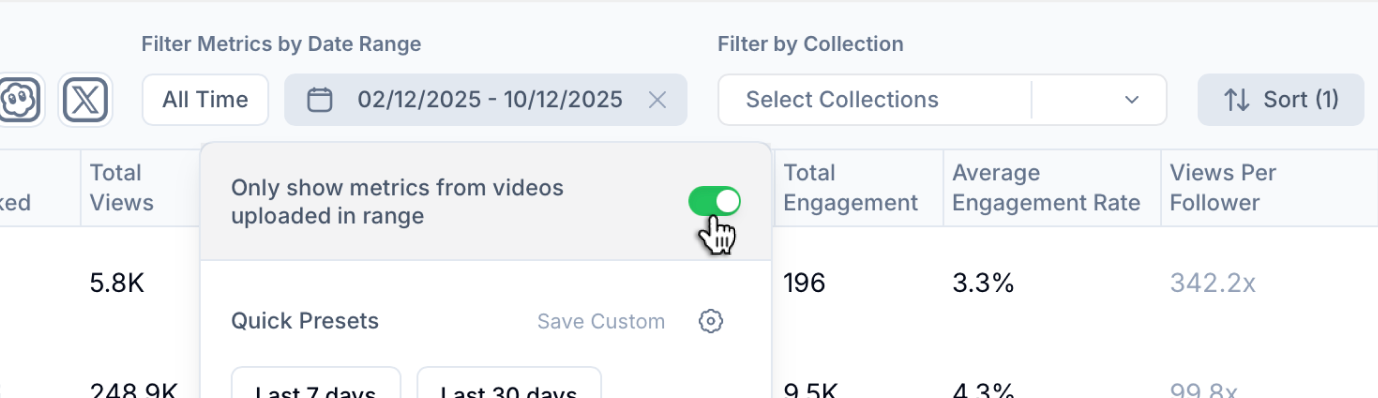
Only Show Metrics From Videos Uploaded within a Date Range (Now in Accounts Table too)
We’ve improved how and where you control which video metrics are shown based on upload date and extended this functionality to the Accounts Table as well.
What’s New:
The “Only show metrics from videos uploaded in date range” toggle is now also available in the Accounts Table
→ This lets you filter account-level metrics based solely on videos posted during your selected time range
→ Perfect for analyzing growth, engagement, and output during a specific campaign or period
Improved Placement in UI:
We’ve relocated the toggle to a more intuitive spot
→ It now appears inside the date range filter when selecting a custom range in Overview, Tables, and now also in the Accounts Table
By bringing this control front and center, it’s easier than ever to zoom in on the exact performance window you care about without digging through settings.